Staff and ratios
Staff rosters, leave and live ratios
Plan the week, approve leave, and see the child-to-teacher ratio for every class as it stands right now. Staff certificates are tracked too, with reminders before they expire.
Your team
Everything about your staff, in one place
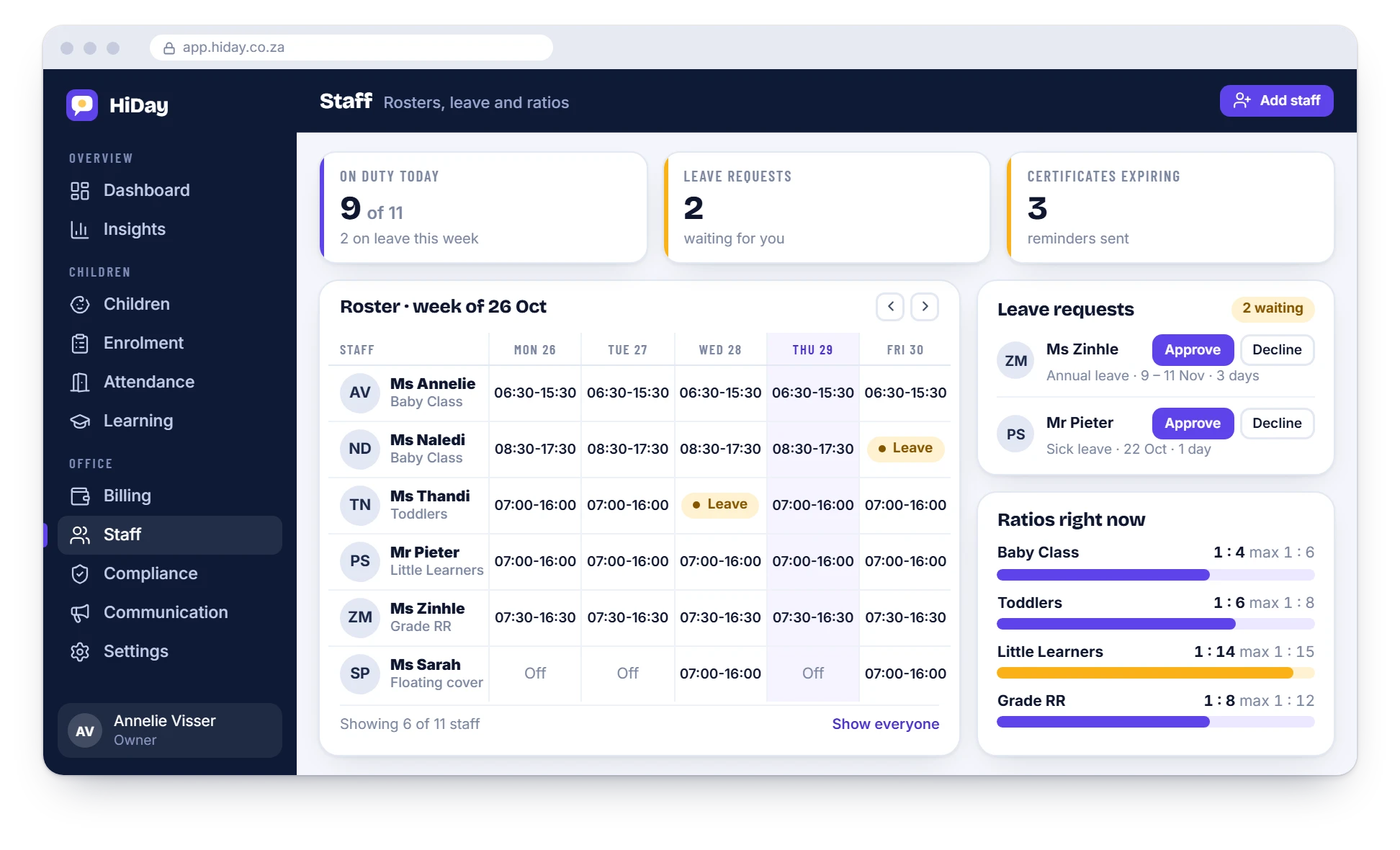
Staff profiles
Contact details, role and class for every staff member, in one record.
Weekly roster
Who is in which class on which day, laid out for the whole week.
Leave
Staff request leave and you approve it, with the roster in front of you.
Ratios per class
Set your limit for each class and see where you stand right now.
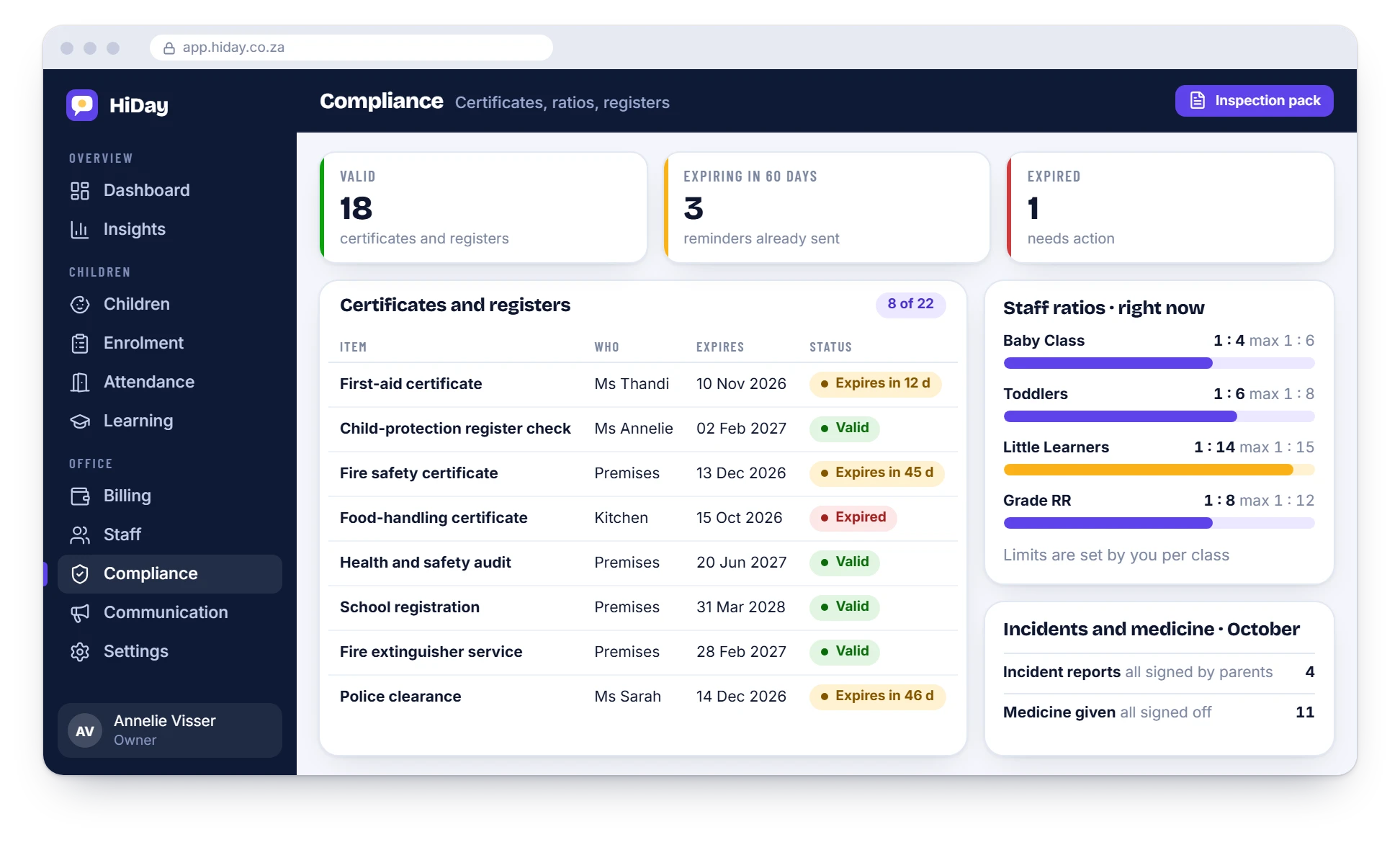
Certificates
First aid and other certificates tracked per person, with reminders before they expire.
Locked-down teacher access
Teachers see their own class. Staff records stay with owners and managers.
Ratios
See ratios before they become a problem
A class that is one child over its limit should not be a surprise at an inspection. HiDay shows each class against the limit you set.
- Limits are set by you for each class
- The live ratio is shown next to the limit
- A warning colour when a class is close to its limit
Questions
Staff and ratios: common questions
Does HiDay do payroll?
No. HiDay covers staff profiles, leave, rosters and ratios, not payroll.
Who sets the ratio limits?
You do, for each class, so they match your registration and your school’s own rules.
What can teachers see?
Only their own class and the daily log. Staff records and fees are for owners and managers.
Are staff certificates tracked?
Yes. Each certificate has an expiry date, and reminders go out before it lapses. See compliance.
Is this part of Daily Reports?
Staff, leave, rosters and ratios are part of the Full Suite.
See it with your own school’s set-up
WhatsApp us and we will walk you through it, using your classes and your fee structure.