Daily reports
Digital daily reports for creches and preschools
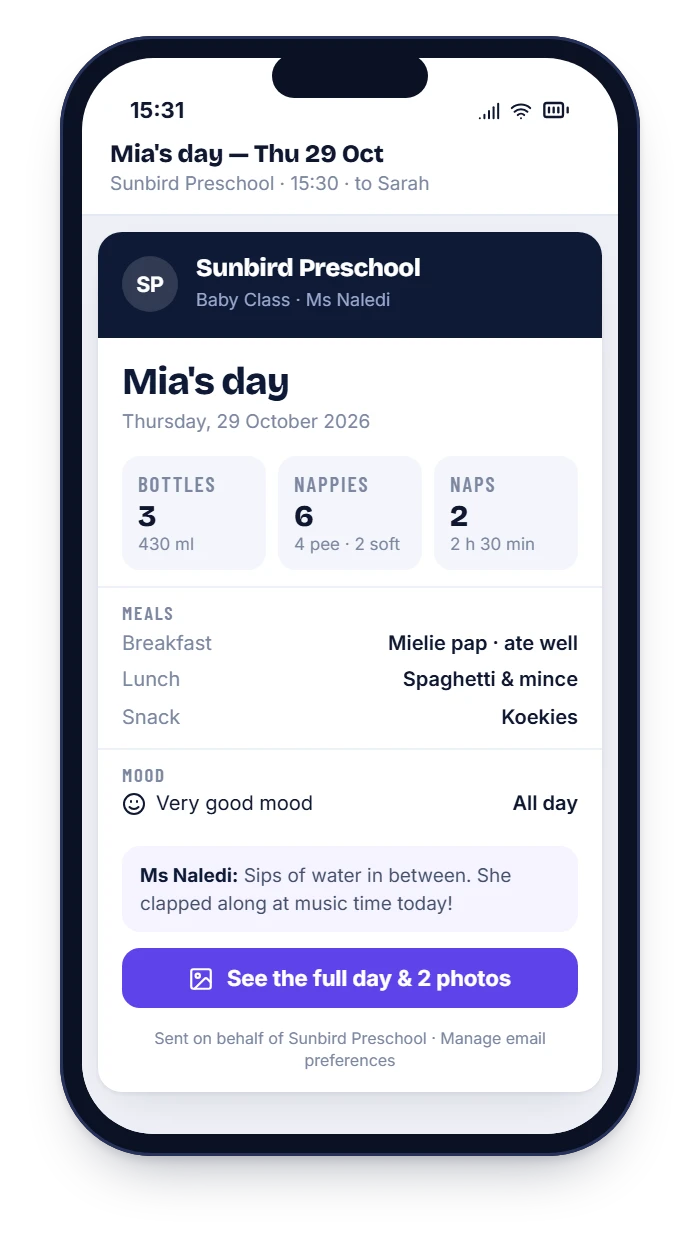
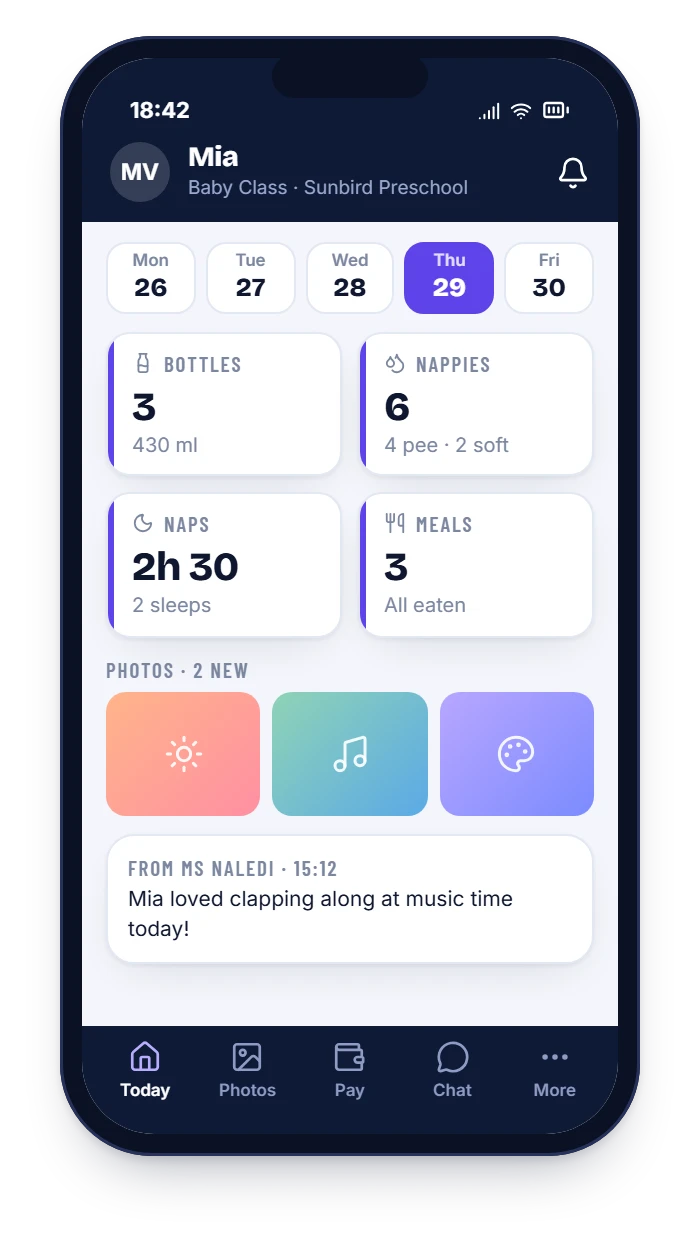
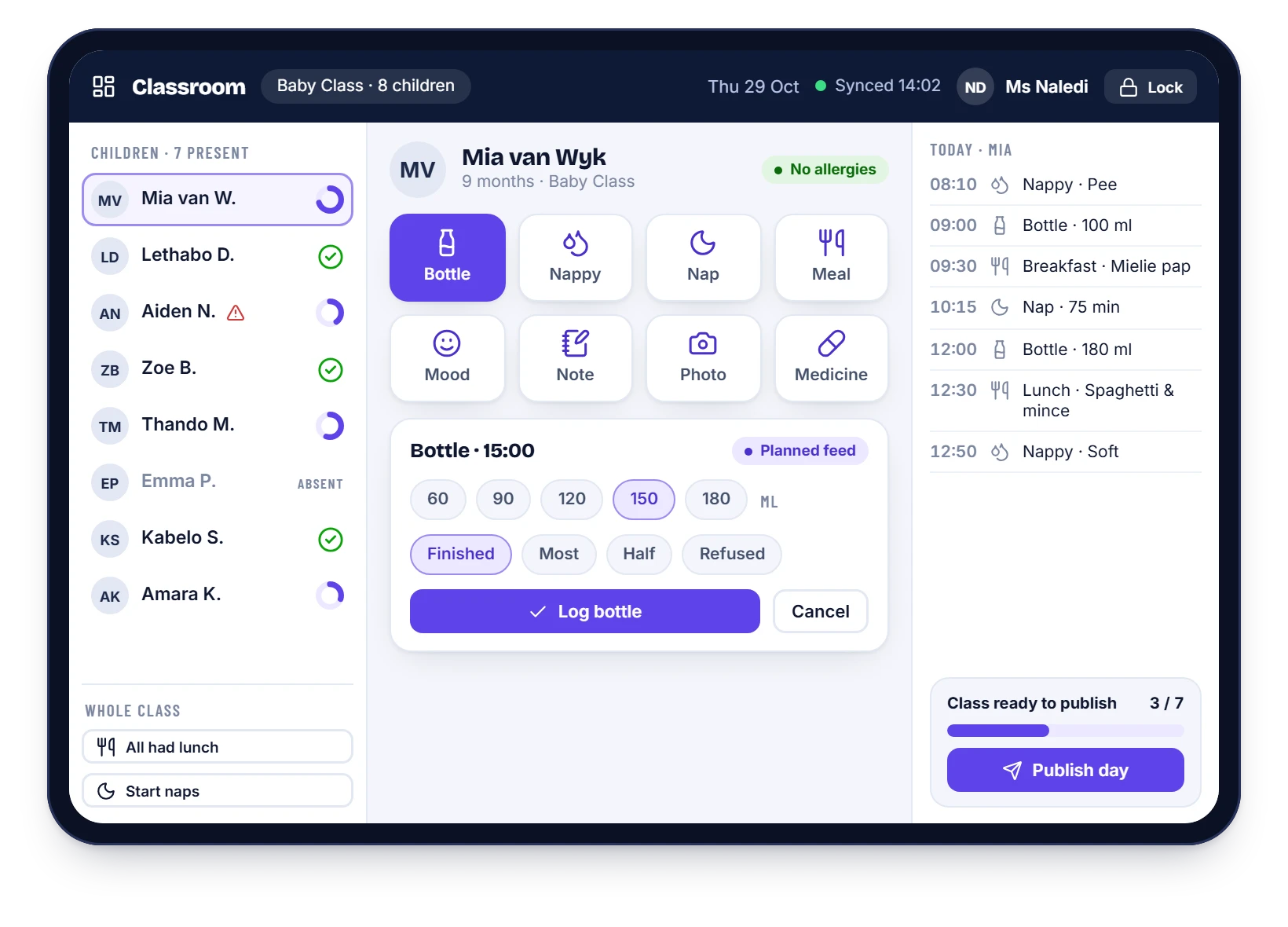
Teachers tap in bottles, nappies, naps, meals and mood. Parents get the whole day by email every afternoon, with photos where they have consented. No handwriting, no lost pages, no chasing.
The report
What goes into a HiDay daily report
It follows the paper diary you already use, so nothing is lost in translation.
Bottles and feeds
Time and millilitres, and how much was finished.
Nappies
Type and time for every change, from pee to runny.
Naps
When they went down, when they woke and the total.
Meals
Breakfast, lunch and snacks, and how well they ate.
Mood and notes
A quick mood tap and a personal note from the teacher.
Photos and highlights
Shared only with parents who have given consent.
Templates
A template for every age group
Babies need feeds and nappies. Toddlers need meals, potty and naps. Older children need activities and notes. Each class gets the template that fits, and you choose what parents see.
- Baby, toddler and pre-school templates
- Add or hide fields for each class
- Your school’s name and tone on every report
Delivery
Parents get the day at the time you choose
Set a send time such as 15:30, or send the moment the class is published. A checklist shows the teacher what is still missing before they press Publish.
- A daily email, no app to install
- A secure link to the full day and the photos
- A history parents can look back on
Why switch
Why schools replace the paper diary
| Paper diary | HiDay | |
|---|---|---|
| Writing time | Every field, every child, by hand | Tap a button; whole-class actions for meals and naps |
| When parents see it | When the bag is opened, if the page survives | In their inbox the same afternoon |
| History | A stack of pages at home | A searchable timeline from the first day |
| Oversight | You find out what was missed when a parent complains | You see which classes have published and what is missing |
| Photos | Printed or scattered across WhatsApp | Shared only with parents who have consented |
Questions
Daily reports: common questions
Do parents need to install an app?
No. The daily report is an email, and a secure link opens the full day and photos in the phone’s browser.
Can we choose what is in the report?
Yes. You pick the fields for each class, so a baby class shows feeds and nappies while an older class shows activities and notes.
What about photos and consent?
A photo is only shared with parents of children whose consent has been recorded. Consent is stored per child, with the date.
Does it work when the internet is down?
Teachers can keep logging. Entries are saved on the device and sync when the connection returns.
See it with your own school’s set-up
WhatsApp us and we will walk you through it, using your classes and your fee structure.