Features
Everything HiDay does for your creche or preschool
One login for the whole school: teachers tap, parents read and the owner sees everything. Pick any part to see how it works.
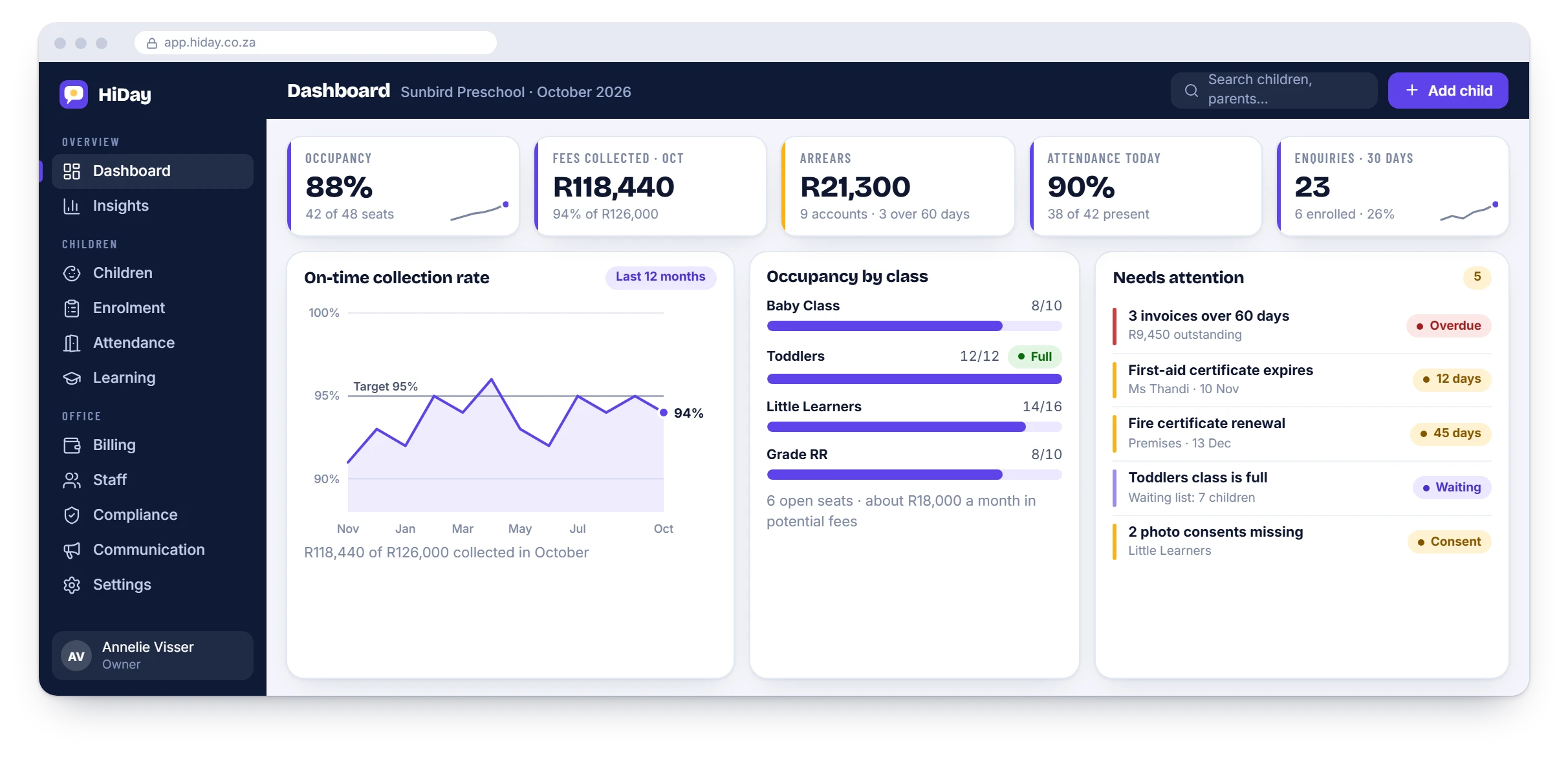
The whole menu
Every part of HiDay, in the order you will meet it
Start in the classroom, then follow the children through enrolment, attendance and learning to the school office.
Classroom and parents
Daily reports
Feeds, nappies, naps, meals, mood and photos, emailed to parents every afternoon.
Learn moreClassroom app
Tap-to-log for teachers, with whole-class actions and offline entry.
Learn moreFor parents
The day by email, a secure portal and a QR pick-up pass, with no app to install.
Learn moreAnnouncements and events
Notices, event RSVPs, a shared calendar and messages.
Learn moreMeals and menus
Record what each child ate and publish the weekly menu.
Learn morePhotos and consent
Share photos only with parents who have consented, with the date on record.
Learn moreChildren
Children and families
One record per child: family, allergies, consents and approved collectors.
Learn moreEnrolment and waiting list
Enquiries, tours, e-signed registration and a waiting list for each class.
Learn moreRe-registration
Pre-filled yearly forms, fee by child order and next year’s seats.
Learn moreAttendance and pick-ups
Live roll-call, QR pick-up and verified collectors.
Learn moreIncidents and medicine
Written at the time, signed by the parent on their phone and kept in the register.
Learn moreLearning and milestones
Weekly themes, milestones and term reports drafted from the daily notes.
Learn moreThe school office
Fees and statements
One account per family, invoices, monthly statements and arrears.
Learn moreOnline payments
A pay-now link on every statement, with payments matched to the right family.
Learn moreStaff and ratios
Profiles, leave, rosters and live child-to-teacher ratios.
Learn moreCompliance and POPIA
Certificates, registers, consent records and expiry reminders.
Learn moreDashboard and insights
Occupancy, collections, arrears, enquiries and retention.
Learn moreSettings and roles
Your classes, report templates, fee schedules and branding, and who can see what.
By role
One system, three views
Teachers
Tap-to-log on a tablet or phone. Teachers see their own class and nothing else.
Learn moreParents
The day by email, a secure portal, a QR pick-up pass, online payment and re-registration on their phones.
Learn moreOwners and managers
Fees, enrolment, compliance, staff and a live dashboard for the whole school.
Learn moreWhat is in each plan
Start with the classroom, add the school office
Daily Reports covers the classroom and parents. The Full Suite adds everything for the office. We quote each school, so WhatsApp us for a price.
| Feature | Daily Reports | Full Suite |
|---|---|---|
| Classroom app and daily reports | Included | Included |
| Parent email and portal with full history | Included | Included |
| Photo sharing with consent records | Included | Included |
| Child and family profiles | Included | Included |
| Enrolment and waiting list | Not included | Included |
| Yearly re-registration | Not included | Included |
| Fees, invoices and monthly statements | Not included | Included |
| Online payments | Not included | Included |
| Attendance, QR pick-up and incident reports | Not included | Included |
| Staff, leave, rosters and ratios | Not included | Included |
| Compliance registers and expiry reminders | Not included | Included |
| Announcements, events and messaging | Not included | Included |
| Learning plans, milestones and term reports | Not included | Included |
| Meals and menus | Not included | Included |
| Owner dashboard and insights | Not included | Included |
Questions
Features: common questions
Do we have to use every part?
No. Start with Daily Reports and add the rest of the school office when you are ready. It is one login, and your data carries over.
What does a teacher see?
Only their own class and the daily log. Fees, staff records and other classes are hidden, and access is checked on the server.
Do parents need to install anything?
No. Parents get the day by email and open a secure link in their phone’s browser. They can add it to their home screen if they like.
Which schools is HiDay for?
Creches, preschools, playschools, ECD centres, Grade R classes and aftercare programmes.
Can you load our existing children and parents?
Yes. We load them from a spreadsheet as part of onboarding.
See it with your own school’s set-up
WhatsApp us and we will walk you through it, using your classes and your fee structure.